11 Nov 2026
If you have lost your keys in the UK, the first hour decides most of what happens next. Check the places you put things down, ring the places you have been and report the loss to the transport operator if you travelled. If the keys do not turn up and anything on the keyring could lead someone to your door, change the lock. This guide goes through each step, what a locksmith usually charges, what home insurance does and does not pay for, and how to make sure the next person who finds your keys can reach you.
How to find your lost keys: 4 steps for the first hour
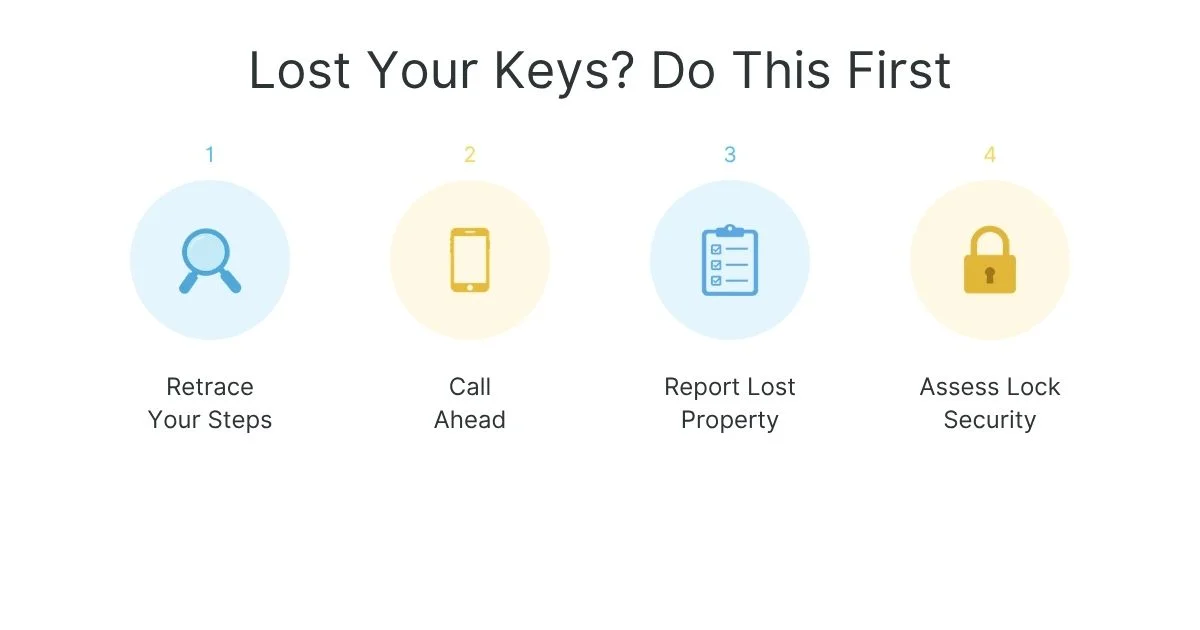
The first 60 minutes after you realise your keys are gone matter most. In order:
- Check the obvious places twice. Pockets, bags, the car, the door lock and wherever you put things down when you came in.
- Retrace your steps and ring ahead. Call the shops, cafés, gym or workplace you visited; most keep lost property behind the counter for a while.
- Check lost property for your journey. In London use the TfL lost property service; elsewhere contact the train or bus operator you travelled with.
- Secure your home and car if you need to. If anything on the keyring linked the keys to your address, or they were stolen with your wallet, arrange a lock change. For car keys, ask your dealer about removing the lost key from the car.
What a locksmith costs in the UK
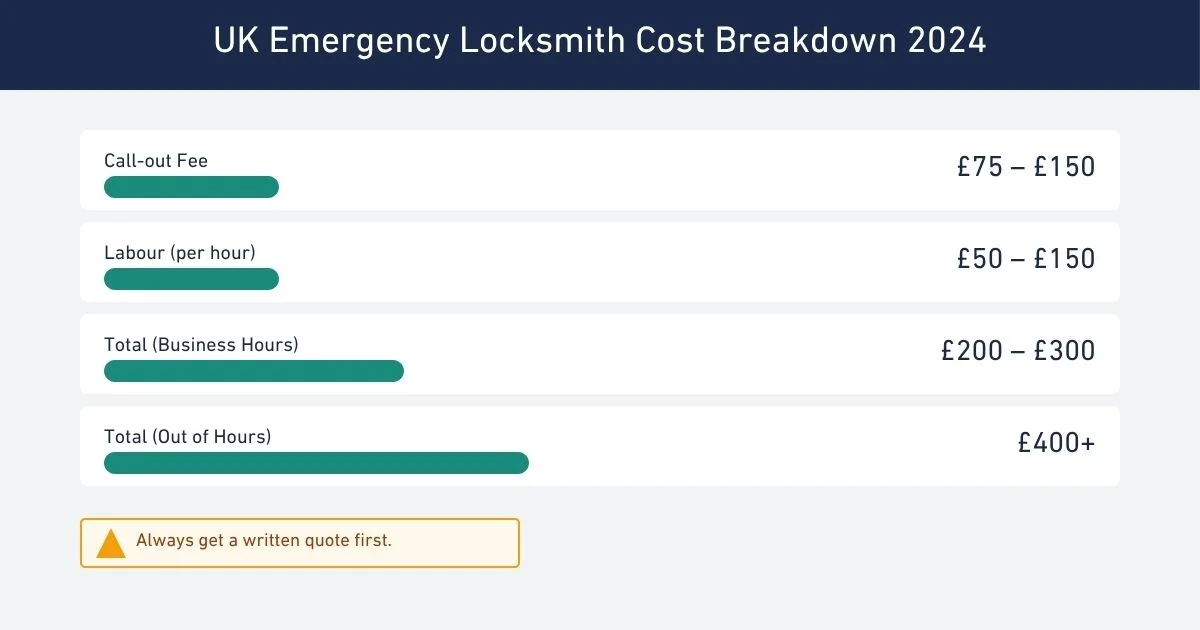
If you cannot get in and nobody nearby has a spare, you will need a locksmith. Checkatrade's locksmith price guide, updated in May 2026, gives these typical figures:
- Emergency call-out fee: £50 to £150, on top of the work itself.
- Getting back into a property: £90 to £130 in labour.
- Hourly rate: around £65 between 8am and 6pm, rising to around £120 between midnight and 6am.
- Replacing a Yale-type lock: £90 to £120.
- Replacing a standard uPVC door lock: £100 to £150, or £125 to £175 for an anti-snap lock.
- Replacing a mortice lock: £115 to £165.
Prices depend on where you live and when you call. Checkatrade's average job prices run from about £100 in Edinburgh and Exeter to about £163 in London, and parts are usually charged on top of labour.
Always ask for a written quote before any work starts. The Checkatrade and TrustMark directories list vetted, reviewed locksmiths in your area. Avoid anyone who will not give a price up front. Ask whether they plan to pick the lock, which usually leaves it working, or drill it, which means paying for a new one.
Why a QR key tag is the simplest way to get lost keys returned
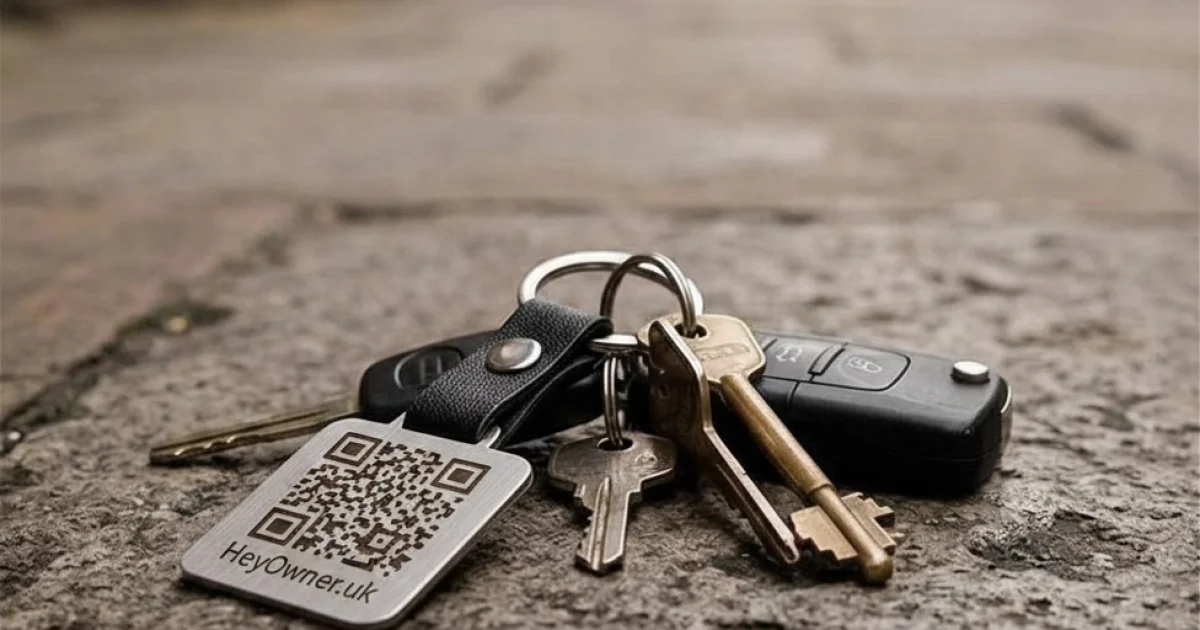
A QR key tag is a small tag on your keyring with a code linked to your account. Whoever finds your keys scans it with their phone camera, a page opens and they type you a message. You then agree where to collect the keys: a café, a reception desk, a police station, anywhere that is not your front door. Nothing personal is printed on the tag.
- No app for the finder. The camera on any iPhone or Android reads the code. There is nothing to download and no account to create.
- Your number stays private. The finder's message reaches you by email and you reply from your account. They never see your phone number, email or address.
- Engraved, not printed. A HeyOwner key tag is laser-engraved metal, so the code does not rub off against coins and other keys.
- You stay in control. Change your contact details, add a second contact, switch on Lost mode or switch the tag off from your account, all without replacing the tag.
A HeyOwner key tag is £5.99 with UK delivery included, paid once. There is no subscription, and the account behind it is free.
Is a QR key tag safe for home security?
It is the question people ask most, and a fair one. A QR key tag is safer than the tags many people still use, because it shows nothing about you. A metal tag engraved with a house number and street gives whoever finds the keys the door they open, and a good reason to think nobody is home.
The comparison is simple:
- Engraved address tag: tells whoever finds the keys which door they open.
- Engraved phone number: no address, but your number goes to anyone who picks the keys up.
- QR tag: shows nothing about you. The finder messages you through a page that keeps your name, number and address hidden.
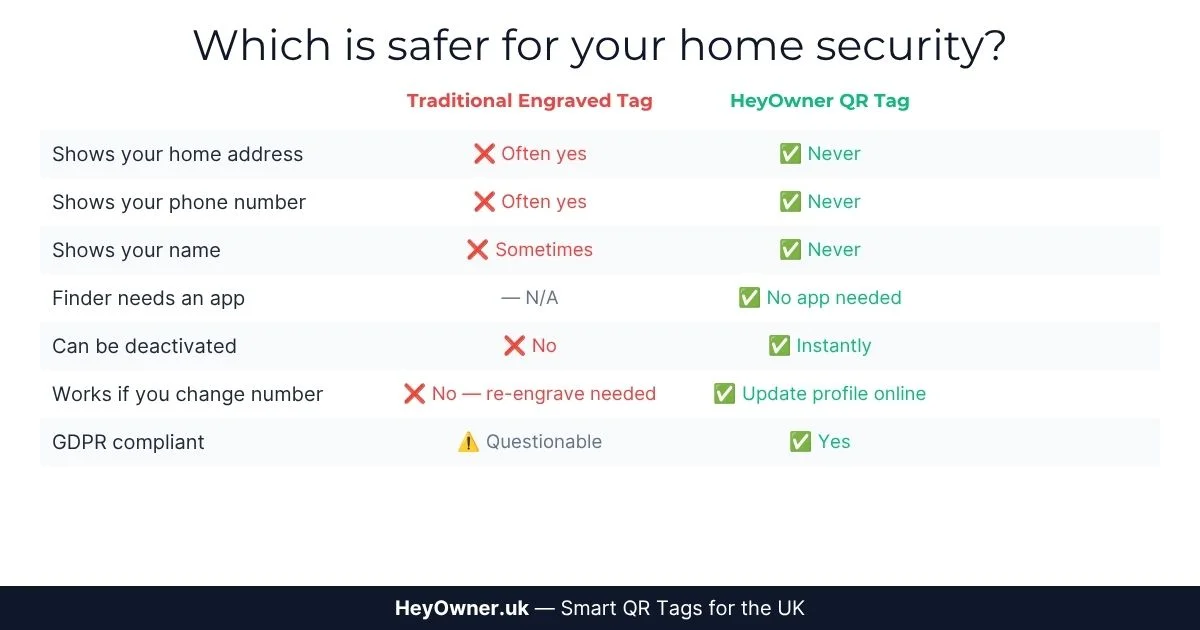
If your locks have changed, or you no longer want the tag in use, switch it off in your account and switch it back on when you need it. We cover the question in more detail in Is a QR tag on your keys a security risk?
How to stop losing your keys: 4 habits that work
Getting lost keys back once is luck. These four habits take a few minutes to set up and save the next locksmith bill.
- Give your keys one home. A hook or a bowl by the door, used every time you come in. Keys that have no fixed place end up in coat pockets and bags, and get carried out and dropped.
- Leave a spare with someone you trust. A neighbour, relative or friend who lives close by. Not under the mat, in a plant pot or in a key safe with an easy code: those are places anyone can check.
- Put a QR tag on the ring you carry every day. Usually the one with your house key. Name the tag when you set it up, for example "House and car keys", so a message tells you which set was found. If your car key lives on its own ring, give it its own tag: a replacement car key is often the most expensive part of losing a set.
- Add a Bluetooth tracker if you mislay keys at home or nearby. A tracker shows you where the keys are; a QR tag lets whoever picked them up reach you. They do different jobs and sit happily on the same ring. More in QR tags vs AirTags.
If your keys are gone for good
If a day or two has passed and nothing has turned up, deal with the locks and the insurance.
Step 1: Find a vetted locksmith
Search Checkatrade, TrustMark or your council's approved trader scheme, and get at least two quotes. Some insurers ask for a locksmith approved by the Master Locksmiths Association, so check your policy before you book.
Step 2: Decide what to change
On most uPVC and composite doors a locksmith replaces only the cylinder, the part the key goes into, which is quicker and cheaper than a whole new lock. If the keys had nothing on them that could lead to your home and were clearly lost rather than stolen, that is often enough. If they could lead someone to your door, or went missing with your bag or wallet, change every lock they open, and do it promptly.
Step 3: Check your home insurance before you pay
Cover for new locks after lost or stolen keys is not standard on every policy. Some policies pay only when keys are stolen, not lost, and limits vary between insurers. Key cover can often be added as an extra, and home emergency cover may include a locksmith if you are locked out. Insurers usually expect the locks to be changed promptly and fitted by a qualified locksmith, not by you, so read your policy or ring your insurer before you pay out of pocket.
Step 4: Sort out your spares
Once the locks are dealt with, cut at least one new spare and update whoever holds your emergency copy. It is also the moment to put a QR tag on the new keyring, so that next time whoever finds your keys can tell you straight away.
Before you buy a tag, it is worth reading QR keyrings: 6 things to check before you buy one. Then see the QR key tags, from £5.99 with UK delivery included.