20 Jul 2026
Every year, staggering numbers of laptops, phones and tablets are left behind on UK public transport. Transport for London alone logs tens of thousands of lost items a year, and devices are among the most common — a laptop slipped into a seat-back pocket, a phone left on a café table, a camera bag put down for a second and forgotten. The moment you realise it is gone is horrible, but a lost device is not always a lost cause. Acting quickly, knowing the right channels, and — ideally — having tagged the device in advance can turn a disaster into a short-lived scare. This guide covers exactly what to do.
What to Do in the First Hour
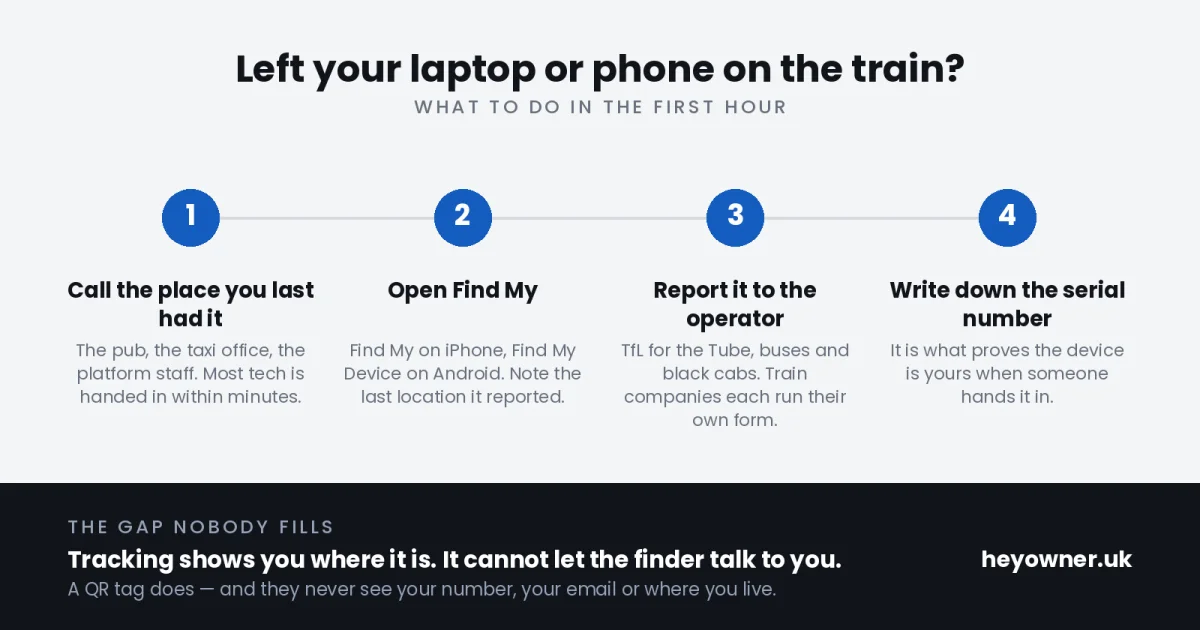
The first sixty minutes matter more than any other. Move through these steps in order:
- Retrace and call ahead. Work backwards to where you last definitely had the device. If it was a café, shop or venue, phone them before travelling back — staff very often have it behind the counter.
- Track it if you can. Use Find My iPhone, Find My Device (Android) or your laptop's tracking to see its last known location and mark it as lost. More on the limits of this below.
- Report it to the operator. If it was on a train, bus or in a taxi, report it to the transport operator straight away — the sooner it is logged, the sooner a handed-in device can be matched to you.
- Note your serial number. You will be asked for it. On a Mac it is under About This Mac; on iPhone and Android it is in Settings. Keep a record somewhere safe for exactly this moment.
How to Report Lost Property on UK Transport
Each operator runs its own lost property system, and knowing where to go saves days. On the London Underground, buses and other TfL services, reports go through the TfL lost property service, which reunites a large share of handed-in items. For trains, report to the specific train operator for your route — most use an online lost property form, and items are usually held at the destination station before moving to a central depot. For black cabs and private hire, TfL also handles taxi lost property in London; elsewhere, contact the operator or licensing authority. In every case, a clear description and a serial number dramatically improve your chances.
Find My and Device Tracking: What It Can and Cannot Do
Built-in tracking is genuinely useful, but it has real limits. It can show you an approximate location and let you lock the device or wipe it remotely — but it depends on the device being powered on and connected, it goes dark the moment the battery dies, and it gives you a dot on a map rather than a way to talk to whoever has your device. If an honest person finds your laptop in a taxi, tracking tells you it is "somewhere near the depot" — it does not let that person tell you they have it and arrange to give it back. That gap is exactly where most everyday recoveries succeed or fail, and it is the subject of our comparison of QR tags versus AirTags.
Why a QR Sticker Gets Tech Back Faster
A slim QR sticker on your laptop lid or the back of your phone case closes that gap. When a finder — a member of station staff, a barista, or the next passenger — sees it, they scan it with any phone camera and reach a secure page where they can message you directly. You get an instant notification and arrange a safe handover, and at no point do they see your name, phone number or address. It turns "I found a laptop but have no idea whose it is" into a thirty-second conversation. Because it is a printed sticker rather than a powered device, it never runs out of battery and keeps working long after Find My has gone quiet. You can see how this works for laptops, tablets and cameras on the electronics use-case page.
What About the Data on a Lost Device?
A QR recovery sticker and your device's own security are completely separate layers, and you want both. The sticker only ever links to a contact relay — it gives a finder no access whatsoever to your files, photos or accounts. Your data is protected by your device passcode, disk encryption (FileVault on Mac, on by default on modern iPhones and most Android phones) and remote-wipe. So the sensible approach is belt and braces: keep the device locked and encrypted so a thief gets nothing, and add a QR sticker so an honest finder has an easy, private way to give it back.
How to Protect Your Devices Before You Lose One
- Record every serial number now, while you have the devices in front of you.
- Turn on tracking and encryption — Find My, a strong passcode, and disk encryption on each device.
- Add a QR recovery sticker to the laptop, tablet, phone case and camera — HeyOwner tags start at £5.99 with UK delivery included.
- Scan to activate and note the device details on your secure profile.
Do that once, and the next time something slips out of your bag, you are relying on a helpful stranger with an easy way to reach you — not on luck.