11 Nov 2026
AirTags and QR tags are both attached to things you want to get back. Beyond that, they work so differently that comparing them directly is a bit like comparing a smoke alarm to a door lock: both are about safety, neither replaces the other, and choosing between them misses the point. But the comparison comes up constantly — particularly for pet owners and frequent travellers who want to know which technology actually increases the chance of recovering a lost item. This guide answers that question honestly, without commercial spin, and with a clear account of what each technology can and cannot do.
What an AirTag Actually Is
An Apple AirTag is a small Bluetooth and ultra-wideband (UWB) tracking disc, approximately 31mm in diameter. It pairs with an iPhone and appears in Apple's Find My app. When you are within Bluetooth range — roughly 10 to 30 metres, depending on conditions — the AirTag communicates directly with your phone and you can see its approximate location. When you are not within range, the AirTag relies on Apple's Find My network: a crowdsourced mesh of hundreds of millions of Apple devices worldwide. When any Apple device comes within Bluetooth range of your AirTag, it securely and anonymously relays the AirTag's location back to Apple's servers, which your phone can then access through the Find My app.
This crowdsourced approach is what makes AirTags genuinely useful in densely populated areas with many Apple device users nearby. If you leave your bag on a train and the train is full of iPhone users, your AirTag will be pinged frequently and you will be able to see its location in near-real-time. In a city centre, the location data can be surprisingly accurate.
AirTags run on a standard CR2032 coin cell battery, which Apple estimates lasts approximately one year. They use UWB for precision finding — when you are close enough, your iPhone can guide you to the exact location of the tag with directional arrows. This "Precision Finding" feature only works with iPhone 11 or later models that include the U1 UWB chip.
Apple's Anti-Stalking Measures
AirTags were designed partly in response to existing Bluetooth trackers that had been misused for stalking. Apple built in several anti-stalking features that are relevant to understanding how AirTags work — and why they sometimes behave in ways that seem counterintuitive for loss-recovery purposes.
If an AirTag that is not registered to you has been travelling with you for a period of time (the exact threshold varies and has been updated since launch), your iPhone will alert you that an unknown AirTag has been detected nearby. Separately, an AirTag that has been separated from its owner for an extended period will play an audible sound to alert people nearby to its presence. Both mechanisms exist to prevent covert tracking — but they also mean that an AirTag placed in luggage by a thief will eventually betray itself, and that your own AirTag, left in a stolen item, may be located but may also alert the person who has it that it is there.
Android users receive some protection through Google's Find My Device network and through a separate NFC function on AirTags — tapping an AirTag with an Android phone to its NFC reader will open a webpage showing the tag's serial number and, if the owner has enabled it, contact details. But Android users do not receive the same proactive alerts about unknown AirTags that iPhone users do. Apple has released an Android app (Tracker Detect) that scans for nearby AirTags, but it requires manual scanning rather than automatic background detection.
What a QR Tag Actually Is
A QR tag is a physical label bearing a machine-readable QR code, linked to a web page. When someone scans the code with their smartphone camera, they are taken to a contact page where they can send the owner a message. There is no battery. There is no connectivity. There is no tracking. The tag contains no information beyond the URL encoded in the QR pattern itself.
The tag works on a simple and fundamentally different premise to an AirTag: it does not find the item for you. Instead, it enables the person who finds the item to contact you directly, without knowing your phone number or address. You receive a notification that someone has scanned your tag, you read the message they left, and you arrange to recover your property.
A QR tag works with any smartphone — iOS, Android, or otherwise — and requires no app, no account, and no network connectivity beyond a basic internet connection. It works anywhere in the world. It works five years from now when the technology landscape has changed. It works when the battery has run out — because there is no battery.
The Fundamental Difference: Tracking Versus Communication
This is the key distinction, and it determines almost everything else about how these technologies perform in practice.
An AirTag is a tracking device. It is designed to help you find where your item is. Its value is in giving you location information — a dot on a map — which you can then act on. Whether you can actually retrieve the item once you know where it is depends on circumstances entirely outside the AirTag's control.
A QR tag is a communication device. It is designed to give an honest finder a direct, frictionless way to reach you. It does not tell you where the item is — but it creates the channel through which a finder tells you where it is and hands it back. Its value depends on the finder choosing to use it.
These are not competing answers to the same question. They answer different questions entirely:
- AirTag answers: Where is my item right now?
- QR tag answers: How can the person who found my item reach me?
In the scenario where both are relevant — an item lost in a public place, found by a stranger — the AirTag tells you it is in the park three streets away, and the QR tag is what the person in the park uses to let you know they have it and to arrange a handover. They are complementary, not competing.
When AirTags Work Well
AirTags perform at their best in specific conditions. In a densely populated urban environment with high Apple device density, they can provide near-real-time location data for an item that has been misplaced or left behind. For luggage travelling through major airports — Heathrow, Gatwick, Manchester — the Find My network is so dense that an AirTag in your suitcase will typically show accurate location data throughout the journey, including when the bag is in the cargo hold and when it is sitting on the wrong carousel.
For items in your own home or vehicle — things you have misplaced locally — AirTags are excellent. Precision Finding, when within UWB range, can guide you to an exact location within your own space with impressive accuracy. Lost between the sofa cushions, left in the wrong coat pocket, sitting in the car — AirTag solves all of these quickly.
For tracking items through predictable routes in high-density Apple environments, AirTags are a genuinely strong product. Their integration with the iPhone ecosystem and the Find My app is smooth, the battery life is practical, and the precision finding feature is well-executed.
When AirTags Fail
The limitations of AirTags are real and worth understanding clearly.
In rural or low-density areas, the Find My network's crowdsourcing model breaks down. If your item is in a location where few Apple devices pass, location updates will be infrequent or absent. An AirTag in a field, in a quiet residential street, or in a foreign country with lower iPhone penetration may produce very limited data.
AirTags are significantly less useful for Android users. Without background scanning for AirTags, Android users cannot receive the same location-tracking experience. If your household is primarily Android, an AirTag paired to an iPhone you occasionally check is workable but suboptimal. The broader Android ecosystem has its own Bluetooth tracker solutions (such as Google's Find My Device network trackers), but these do not interact with AirTags.
For stolen items, AirTags offer a complicated picture. In many cases, a thief who knows about AirTags will scan for and remove them — the audible beep after separation and the iPhone alert to nearby users both increase the chance that a determined thief will locate and discard the tag. There are documented cases of AirTags being used successfully to assist police in recovering stolen property, and documented cases of them being found and thrown away. The outcome depends significantly on the sophistication of the person who has the item and whether law enforcement treats the location data as actionable.
Battery life is a practical consideration. A CR2032 battery typically lasts approximately one year, after which the AirTag becomes entirely non-functional. Replacing the battery is straightforward — the battery is user-replaceable — but it requires remembering to do so. An AirTag with a flat battery is simply a small piece of metal. There is no low-battery mode, no fallback, and no indication to a finder that the device exists.
When QR Tags Work Well
A QR tag performs at its best when an honest person finds a lost item in a public place and wants to return it. This is, by a significant margin, the most common way that lost property is recovered in the UK. Most people who find a lost item are not thieves. They are commuters, dog walkers, shoppers, and park visitors who want to do the right thing but don't know how to find the owner.
A QR tag removes every obstacle from that process. The finder does not need to search lost property websites, hand the item in to a police station, or try to read a faded engraved address on a tag. They scan, they send a message, and the owner is notified immediately. The simpler this process is for the finder, the more likely they are to complete it rather than handing the item to a venue or simply walking on.
QR tags work globally, on any smartphone, without any dependency on a particular ecosystem or network. They work in rural areas as well as cities, in countries with low smartphone penetration as well as those with high it, and on the oldest phone that can access a web browser. They work today, and they will work in a decade's time. They have no battery to run flat and no hardware to fail.
For items that travel internationally — luggage, cases, jackets, bags — a QR tag is the identification method most likely to be understood and used by a finder in any country. QR codes are now universally recognised. No knowledge of British lost property systems, HM Customs regulations, or Bluetooth tracker ecosystems is required.
When QR Tags Are Not Enough
A QR tag depends on an honest finder. If an item is deliberately stolen by someone who intends to keep it or sell it, scanning a QR tag to contact the owner is not something they are likely to do. For genuinely stolen property — a bag snatched, a bike taken, keys deliberately taken with the intent to use them — a QR tag provides no recovery mechanism.
In these situations, an AirTag is the better tool, since it may allow you to identify where the item is and provide that information to police. Even here, the limitations above apply: the thief may find and discard the AirTag, and police may or may not act on the location data. But AirTag at least offers a pathway; a QR tag offers none.
A QR tag also requires the item's tag to be visible and accessible. If a bag is stuffed in a cupboard, a coat is folded and put on a shelf, or a set of keys is dropped into a box — and the finder doesn't notice or think to look for a QR code — the tag does nothing. Placement and visibility of QR tags on items matters.
Use Case by Use Case
Pets
Apple does not recommend AirTags for use with pets, and for good reason. The AirTag form factor is not designed for attachment to a collar in a way that is safe for the animal, and the device itself is a swallowing hazard. Third-party AirTag holders for pet collars exist, but they add weight and bulk that affects animal comfort, and the device's audible alerts can distress animals. The Find My network's crowdsourced model also works less well for pets, since a dog or cat moving through a residential area may not trigger enough nearby Apple devices for reliable tracking.
For pets, a QR tag is the appropriate technology, used alongside the legally required microchip. As this guide on QR tags versus microchips explains, the two serve different audiences — professional scanners for the animal welfare system, QR tags for the general public.
Luggage
For luggage, AirTags and QR tags serve genuinely complementary roles. An AirTag tells you where your bag is in real time — invaluable when an airline has mishandled your suitcase and you need to give a location to the ground handling team. A QR tag tells a fellow passenger at the wrong carousel that they have your bag and gives them an instant way to tell you. Both have value; neither is redundant.
Keys
AirTags work for keys that have been misplaced in your home or immediate vicinity — Precision Finding will lead you directly to the key sitting under a piece of paper on your desk. For keys dropped in a park, left on a bus, or lost in a pub, the Find My network may or may not produce useful location data depending on Apple device density in that location. A QR tag on the keyring is the mechanism by which the honest finder in the park contacts you regardless of network density, battery state, or device ecosystem.
Bags and wallets
An AirTag in a bag or wallet provides tracking capability when misplaced locally or in transit. A QR tag on the exterior of the bag provides the finder's contact pathway. The combination — tracking plus communication — is the strongest possible configuration.
Cost and Longevity
An AirTag costs approximately £29 at UK retail prices at the time of writing. There is no ongoing subscription for Find My. Battery replacement costs are negligible — a CR2032 battery costs around a pound. The main ongoing cost is remembering to replace the battery annually.
QR tags vary in price depending on the product and provider. The ongoing cost of maintaining the account behind the tag is typically a modest subscription or a one-off fee. Unlike AirTags, QR tags have no hardware that expires or degrades — a well-made QR tag on a quality substrate will work indefinitely without any hardware replacement.
For most users, the relevant comparison is not AirTag versus QR tag but rather whether to add a QR tag to the AirTag-equipped items they already own, and whether to use QR tags on items where an AirTag would not make sense — smaller items, items carried internationally, items belonging to family members without iPhones.
The Honest Verdict
AirTags are a good product that work well in specific conditions: high Apple device density, short time windows, urban environments, and misplacement rather than deliberate theft. They are worth using if you have an iPhone and regularly carry high-value items in areas where the Find My network is dense.
QR tags are a different product that addresses a different problem: giving an honest finder an immediate, frictionless way to contact you. They work anywhere, on any device, with no battery, no ecosystem dependency, and no time limit. They are the appropriate tool for the scenario that actually accounts for the vast majority of lost property recoveries — an ordinary person who finds something and wants to return it.
The question "which one should I use?" is, in most cases, the wrong question. The more useful question is: which of the things I value would benefit from tracking, and which need a finder's contact pathway? Often the answer to both is the same items — and the right answer is both technologies, doing their respective jobs.
Tile, Samsung SmartTags, and Google's Tracker Network
AirTags are the most prominent product in the Bluetooth tracker category, but they are far from the only option. Understanding the alternatives clarifies why ecosystem matters so much for how well any tracker performs.
Tile was the original consumer Bluetooth tracker, predating AirTags by several years. Tile uses its own crowdsourced network of Tile app users — available on both iOS and Android — to relay location data when out of direct Bluetooth range. The Tile network is smaller than Apple's Find My network, which makes it less effective in areas with few Tile app users. However, Tile works equally for iPhone and Android users, which is a meaningful advantage for households that mix operating systems. Tile also offers a credit-card-sized form factor suitable for wallets — a device that lies flat with cards and is entirely invisible.
Samsung SmartTags use Samsung's Galaxy network for crowdsourced location. In the UK, where Samsung holds a substantial share of the Android market, the Galaxy network is practically useful — particularly in cities. SmartTags work best for Samsung Galaxy owners and integrate tightly with Samsung's own device ecosystem.
Google's Find My Device network, significantly expanded in 2024, allows Android devices to relay location for compatible trackers from manufacturers including Chipolo, Pebblebee, and Motorola. This positions Android as a genuine counterpart to Apple's Find My for the first time, though network density in many areas is still maturing relative to what Apple has built over a longer period.
For practical purchasing decisions: if your household is predominantly iPhone, AirTags are the logical choice. If predominantly Android Samsung, a SmartTag makes sense. If a mixed Android household, a Google Find My Device compatible tracker or Tile offers better cross-device compatibility. None of these replace a QR tag — they are tracking tools, not communication tools, and they work for entirely different phases of the lost-item problem.
What to Do If You Think an AirTag Is Tracking You
Apple's anti-stalking protections are meaningful, but many people receive an "Unknown AirTag Detected" alert without knowing what to do with it. The alert means a tracker registered to someone else's Apple ID has been travelling with you for a period of time.
When you receive the alert, you can open the notification to use Precision Finding — the UWB directional feature — to locate the physical device. The notification also shows the last four digits of the phone number associated with the tag's owner account, which can be provided to police if you believe you are being stalked. Once you have physically found the AirTag, you can disable it by pressing the silver button on the back and removing the battery, permanently ending its ability to track.
If you are an Android user, Apple's Tracker Detect app is available from the Google Play Store and allows you to manually scan for nearby AirTags. It requires active scanning rather than passive background detection, which makes it less convenient — but it is the current tool available to non-iPhone users. Apple and Google announced a joint cross-platform standard for tracker detection alerts in 2023, and gradual rollout is bringing passive Android protection closer to what iPhone users receive automatically.
Setting Up Correctly to Maximise Recovery Chances
A tracker that is not properly set up provides none of its intended benefits. A surprising number of purchased AirTags sit in drawers because the pairing process was never completed, or track accurately but silently because Lost Mode — the feature that displays owner contact information to finders — was never enabled.
Key setup steps:
- Complete pairing immediately. Hold the AirTag near your iPhone to pair it and assign it to your Apple ID. An unpaired AirTag cannot report location to Find My.
- Name it descriptively. "House Keys" or "Grey Samsonite" is useful under pressure; "AirTag 2" is not.
- Enable Lost Mode before trips. Lost Mode displays a message and phone number to anyone who taps the AirTag with a phone — this is the AirTag's finder-communication function, equivalent to a QR tag. It must be deliberately activated; it is not on by default.
- Set a battery replacement reminder. The battery indicator in Find My will show low battery, but checking it requires you to open the app. A calendar reminder twelve months after purchase costs nothing and prevents a dead tracker at exactly the wrong moment.
- Test the setup before you travel. Leave the item somewhere in your home, go outside, and confirm that the location appears correctly in Find My. A tracker that cannot be found in controlled conditions will not perform better in a real emergency.
Combining Trackers and QR Tags: What Works Together
AirTags and QR tags are not competing products — they address different phases of the same problem and work well together on the same item. An AirTag on your keys tells you where your keys are when they are still in your possession or visible in Find My. A QR tag on the same keys tells the person who finds them how to reach you. The tracker is active before the item is lost; the QR tag is active after an honest finder picks it up.
On high-value luggage, the combination is particularly useful: an AirTag inside the bag lets you track whether the bag is moving correctly through a baggage system, confirm it is in the hold rather than missing, and locate it if it ends up at the wrong airport. A QR tag on the outside handle gives any baggage handler, lost property officer, or fellow traveller a way to contact you directly without going through the airline's formal process — which can save hours when an informal solution is faster.
On a bicycle — another common theft target where AirTags are often recommended — the combination works similarly. A hidden AirTag under the saddle or inside the frame may help locate a stolen bike through the Find My network. A QR tag on the frame or handlebar serves the person who finds the unlocked bike in a car park having been left without a lock, or the curious finder who discovers it dumped in a hedge. Two different scenarios, two different tools, both useful.
Managing Expectations Honestly
Media coverage of AirTags tends to feature the dramatic minority of cases: a stolen car located on a cargo ship, a phone found in a thief's flat. These cases are real. They are not representative of typical outcomes.
For the vast majority of users, AirTag's value is mundane and practical: confirming that your keys are in the car rather than the coat, finding your phone under a sofa cushion, seeing that your bag is still in the hold and not lost in Frankfurt. These are genuine quality-of-life improvements. They are not dramatic theft recoveries.
For genuinely stolen items, the gap between "I can see my bag is in that building" and "the police will act on that information now" is real and sometimes unbridgeable. Some police forces treat AirTag location data as sufficient basis for a prompt response; others require a theft to be reported through standard channels before resources are allocated. A QR tag sets more straightforward expectations: it offers a communication channel for honest finders, not a tracking mechanism for thieves. When the channel is used, recovery is fast. When it is not, it provides nothing — and that clarity is itself useful when planning how to protect different types of belongings.
If you would like to add a QR tag to your keys, bag, phone case, or any other item you would hate to lose permanently, HeyOwner's QR tags give any finder — on any phone, anywhere in the world — an immediate way to reach you without your personal details ever being exposed. No battery. No network. No ecosystem. Just a scan, a message, and your property back.
QR tag vs AirTag vs Tile vs Chipolo — the short version
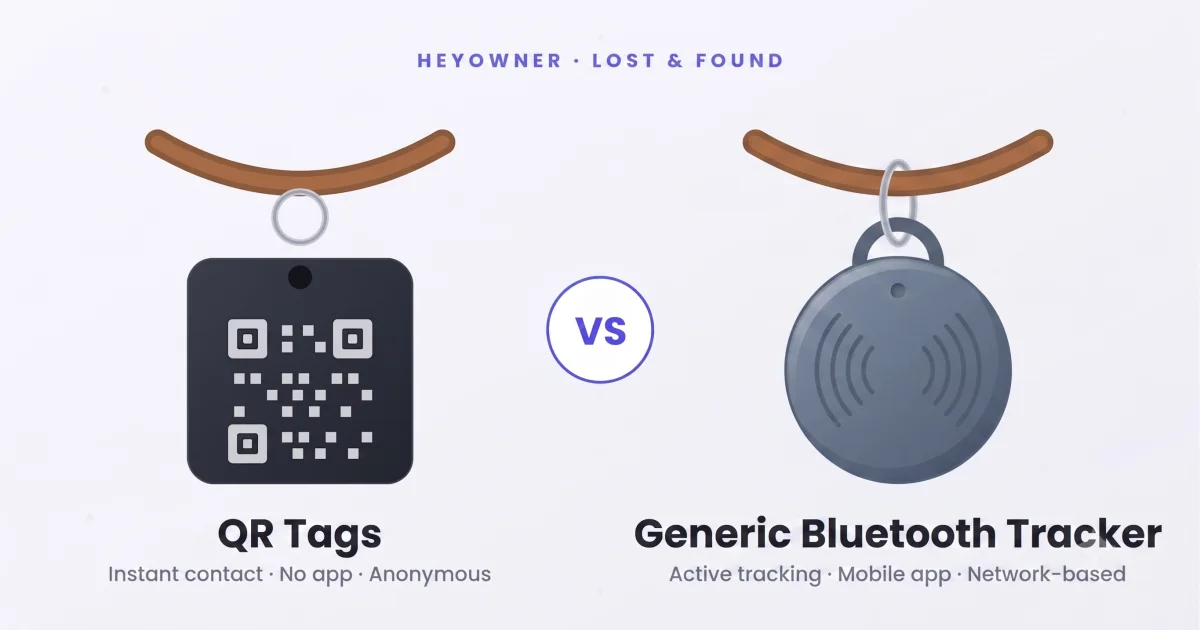
The two kinds of tag answer different questions. A Bluetooth tracker answers "where is my thing?". A QR tag answers "how does the person holding my thing reach me?". Most comparisons treat them as rivals; they are closer to complements.
| QR tag | Apple AirTag | Tile | Chipolo | |
|---|---|---|---|---|
| What it actually does | Lets a finder contact you | Shows you where the item is | Shows you where the item is | Shows you where the item is |
| Useful with nobody around | No | Yes | Yes | Yes |
| Depends on a device network | No — any phone camera works | Yes, Apple's Find My network | Yes, the Tile network | Yes, a partner network |
| Battery | None | CR2032, about a year, user-replaceable | Sealed or replaceable depending on model | Replaceable or rechargeable depending on model |
| Ongoing subscription | No | No | Optional paid tier | No |
| Checked luggage | Nothing for a scanner to query — no electronics | Generally permitted, but battery rules vary by carrier — check yours | ||
| What a finder learns about you | Nothing — they get a message form | Whatever you publish in Lost Mode | Depends on your settings | Depends on your settings |
| Sensible on a pet collar | Yes | Not designed for it — a tracker locates the collar, not the animal, and cannot ask a stranger to call you | ||
Which should you actually buy?
Buy a Bluetooth tracker if…
…the item is expensive, normally stays with you, and the question you will be asking is "where is it right now?" A suitcase somewhere in the baggage system, a laptop bag left in a meeting room, a bike locked up in a city centre. Trackers are very good at this and a QR tag is no substitute.
Buy a QR tag if…
…the realistic happy ending is that an honest person picks your thing up and wants to give it back. A tracker cannot make that happen — it tells you where the item was, not who has it or how they reach you. Keys, wallets, a dog's collar and checked luggage all sit in this group.
Use both if…
…the item is valuable and moves around. The tracker tells you your suitcase is still in Madrid; the QR tag lets the baggage handler holding it message you in ten seconds. Neither one replaces the other, and on a suitcase they cost very little together.